
Digital records · Temp‑Taker® 8
Give each temperature check a record.
Capture spot temperatures at receiving, cooking or holding, and keep a record the team can look up without hunting through a paper log.
See Temp‑Taker in a demo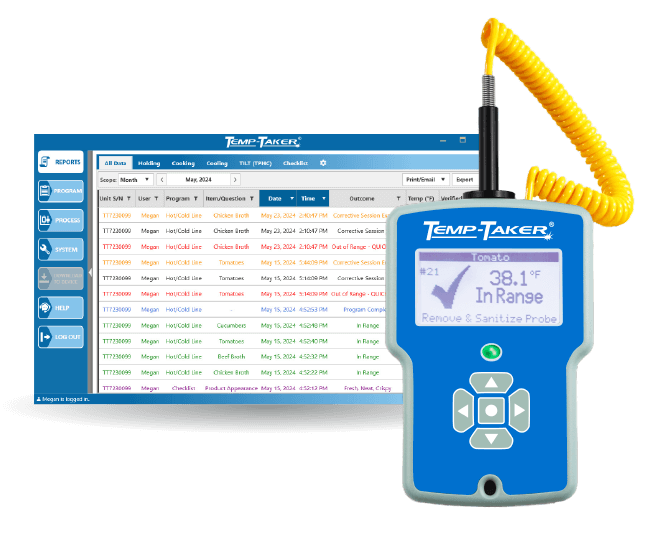
Digital records · Temp‑Taker® 8
Capture spot temperatures at receiving, cooking or holding, and keep a record the team can look up without hunting through a paper log.
See Temp‑Taker in a demoUse your existing receiving, cooking or holding checks. Choose what operators check, what they record and who follows up on exceptions.
The handheld and probe capture spot readings. Bluetooth transfers readings to the compatible software for electronic recordkeeping alongside checklists.
Use the electronic records to review completed checks. For multi-site operations, HQ Manager supports distribution of files to multiple locations.
Bring a paper log or checklist, identify where temperatures are taken and confirm your Windows setup, probe care and calibration procedure before a pilot.
The TT-107 kit includes the Temp-Taker 8 handheld, probe and software. The manufacturer lists Windows 10 and 11 compatibility for the software.
Use Temp-Taker 8 for readings someone takes at a specific checkpoint. Use Temp-Pal to monitor fixed storage when no one is there to take a reading.
ITD lists Prep-Pal integration for Temp-Taker 8. Confirm which configuration and workflow are appropriate for your site.